Your creator emails, right in influData
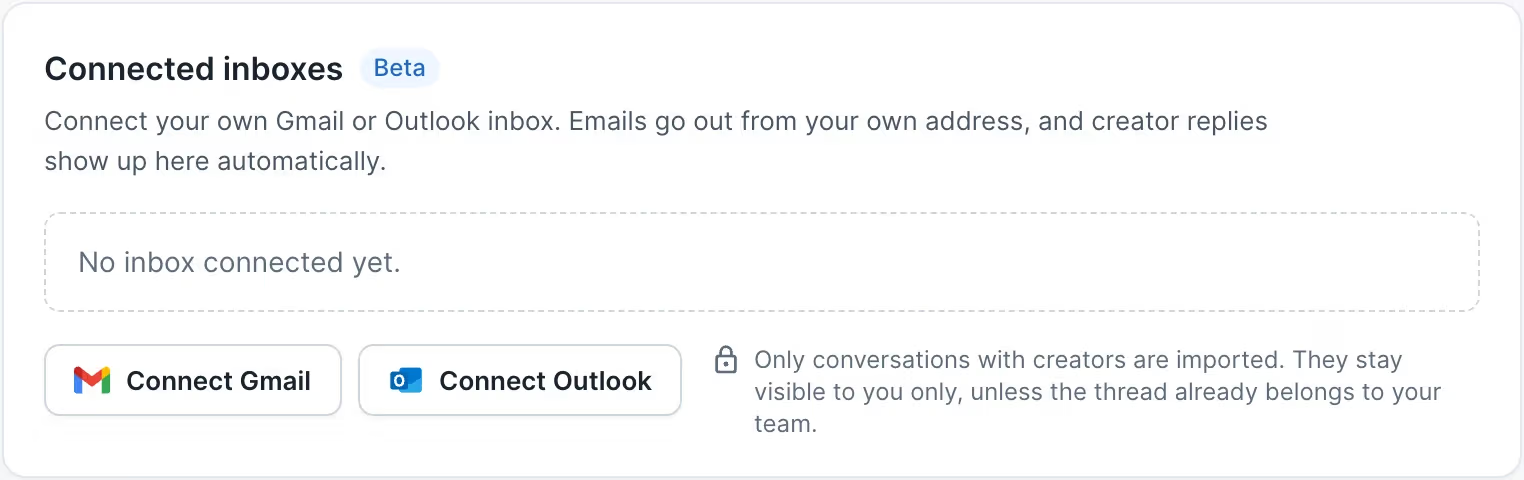
Connect your Gmail or Outlook inbox once. Emails with creators then show up in influData, next to the creator profile, your campaigns and deals, and you answer them right there, from your own address.
How it works
Your inbox and influData stay in sync in both directions. You can keep working in your usual email client, and nothing gets lost when you answer from influData.
Emails with creators come in automatically
Your replies go out from your own address
All in one place
Every conversation sits on the creator profile, next to campaigns, collections and deals.
Answer from influData
Replies go out from your own address, in the same thread, and land in your Sent folder.
Always up to date
New emails arrive within minutes. Read and unread stay in sync in both directions.
Set up in 2 minutes
Every user connects their own inbox. No forwarding rules, no extra software.
Open Outreach, then Settings.
Click Connect Gmail or Connect Outlook.
Sign in with your work account and allow access.
Done. Your creator emails from the last 30 days are imported. New ones follow on their own.
What lands in influData
Only creator conversations are imported. The rest of your inbox stays where it is.
Synced
- Emails with creators from the influData database, including their management or agency
- Emails with contacts your team already writes to in influData
- Every conversation you reply to
- Any conversation you label influData (in Outlook: a category named influData)
Not synced
- Newsletters and promotional emails
- Internal emails within your team
- Spam, trash, drafts and everything else
Your data
Private by default. Only you see your emails. You can share a single conversation or your whole inbox with your team, and an admin can switch on a shared team inbox for the organization.
Disconnect any time. In the Outreach settings. Your private emails are then deleted within 30 days.
Never sold. Your emails are never sold, never used for advertising and never used to train general AI models.
Only what is needed. We store creator conversations only. Your access token is stored encrypted, and attachments are only loaded when you open them.
During the beta
- Google shows a notice before sign-in while it reviews the app. Click Advanced, then continue to influData.
- With Microsoft 365, your IT may need to approve influData once.
Frequently asked questions
Which inboxes can I connect?
Gmail, including Google Workspace, and Outlook with Microsoft 365. Every user connects their own inbox.
Who can see my emails?
Only you, by default. You decide whether to share a single conversation or your whole inbox with your team. An admin can also switch on the team inbox for the organization. You see whether it is on before you connect, and you can still keep single conversations private.
Where do my replies go out from?
From your own address. Replies you write in influData stay in the same thread and land in your Sent folder, just like an email written in Gmail or Outlook.
A conversation is missing. What can I do?
Give it the label influData in Gmail, or the category influData in Outlook. influData then imports the whole conversation.
A conversation shows the wrong creator, or none.
Open the conversation in influData and click Assign creators to link the right profile.
My inbox shows Needs reconnect.
Go to Outreach, Settings, Connected inboxes, click Reconnect and sign in again.
What happens when I disconnect?
influData stops syncing your inbox and deletes the stored access. Your private conversations are deleted after 30 days, unless you reconnect. Conversations shared with your team stay.
How do I get connected inboxes?
Connected inboxes are in beta, and we are switching them on customer by customer. If you already use influData, ask your Customer Success contact. After activation, log out and back in once. New to influData? Book a demo and we will show it to you.
Bring your creator emails into influData
Connected inboxes are in beta and we are activating them customer by customer. Already a customer? Ask your Customer Success contact. New to influData? Book a demo and we will show you how it works.